
Complete security for Linux servers
Remove malware, monitor threats, resolve incidents, and deploy professional-grade security services. Simple, affordable licensing: you choose by number of accounts and you are done. Compatible with cPanel, DirectAdmin, Plesk, and standalone servers.
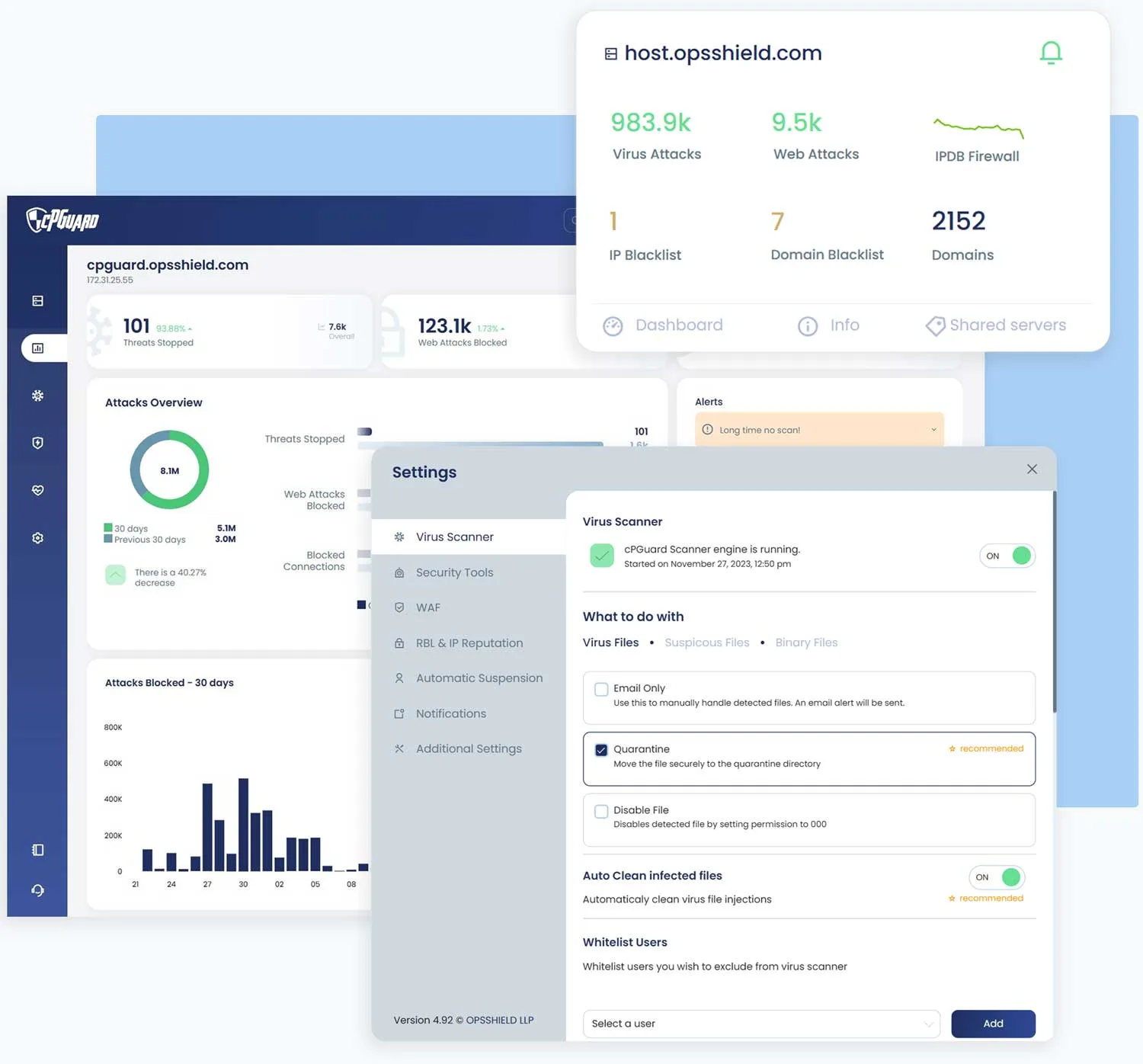
Everything in a single suite
Detection, protection, and reporting integrated in one system with a centralized panel.
Malware Scanner
Automatic detection and cleanup
Firewall
nftables, DoS, SYN flood, GeoIP
WAF
ModSecurity and commercial rules
IPDB
Real-time abusive IP list
Anti-bots
Brute force and bad bots
Dashboard
Centralized management
Malware Scanner
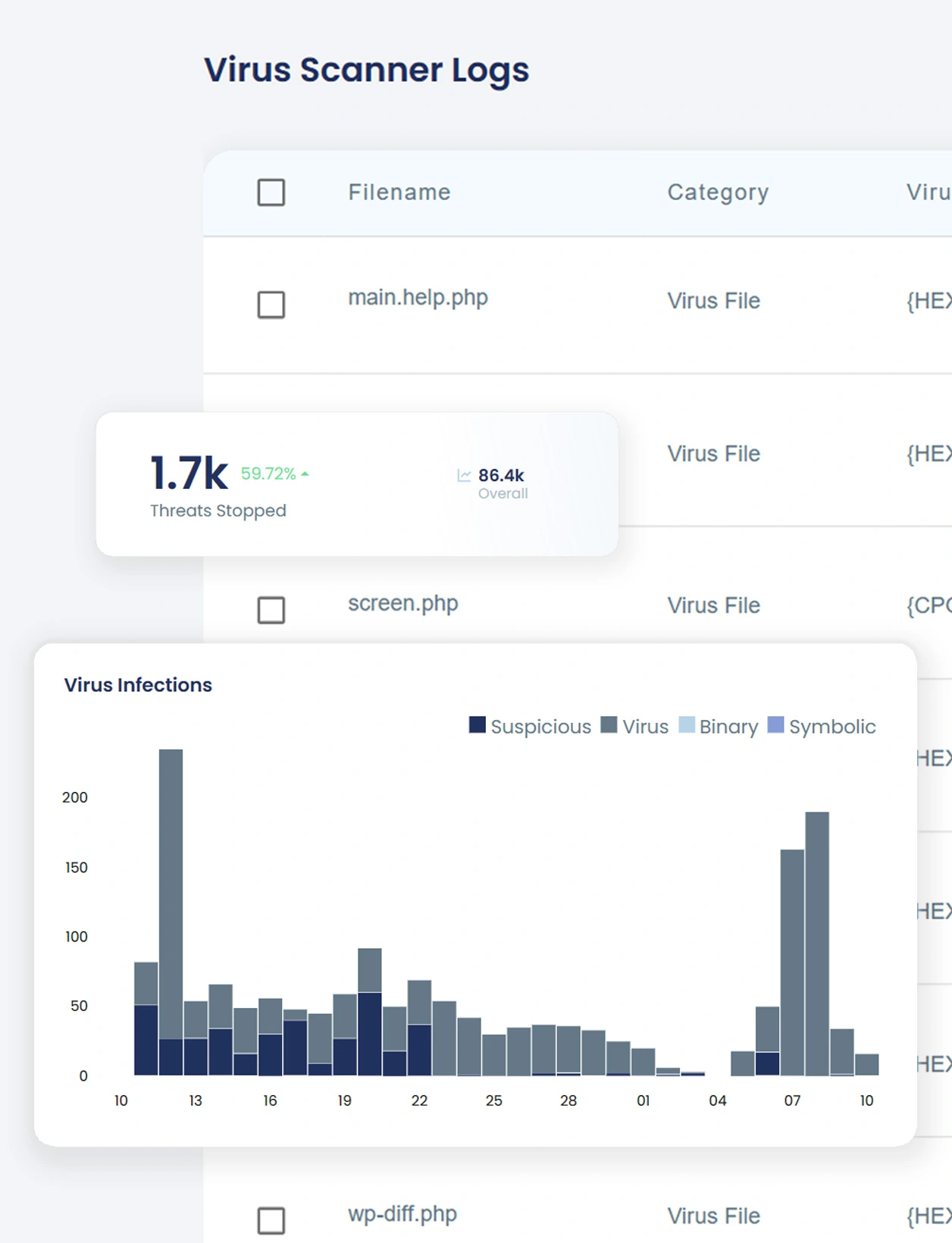
Fast, powerful antivirus with cleanup of infected files. cPGuard acts as automatic malware defense with threat, symlink, binary, and suspicious-pattern detection. Background services with low resource use, even on small servers.
Intelligent real-time antivirus
Code-analysis algorithms to detect viruses, malware, spyware, redirects, and symlinks in WordPress and other CMS platforms.
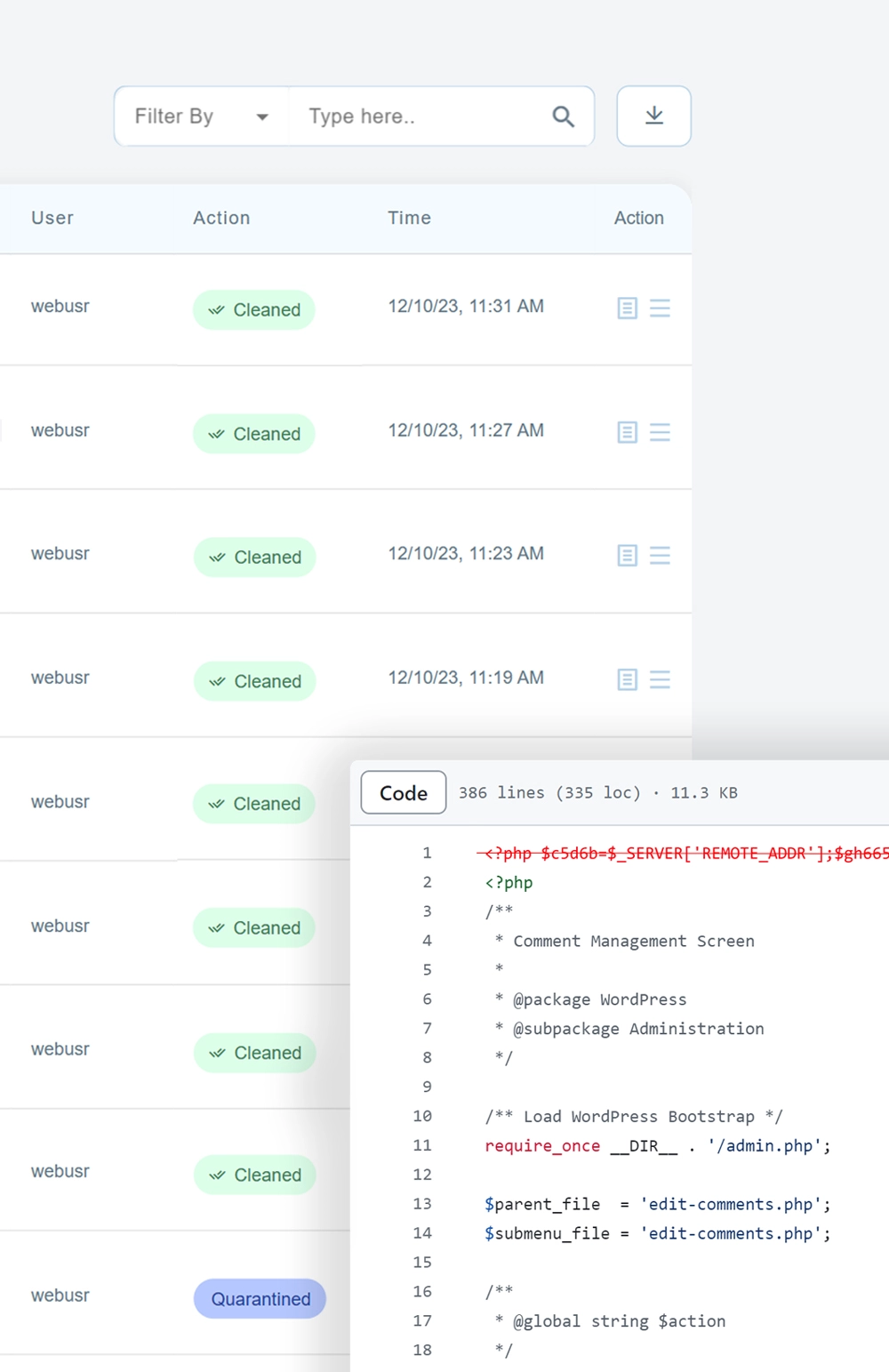
Automatic cleanup of infected files
Keeps your site online by cleaning virus injections in WordPress, Joomla, OpenCart, and CMS core files.
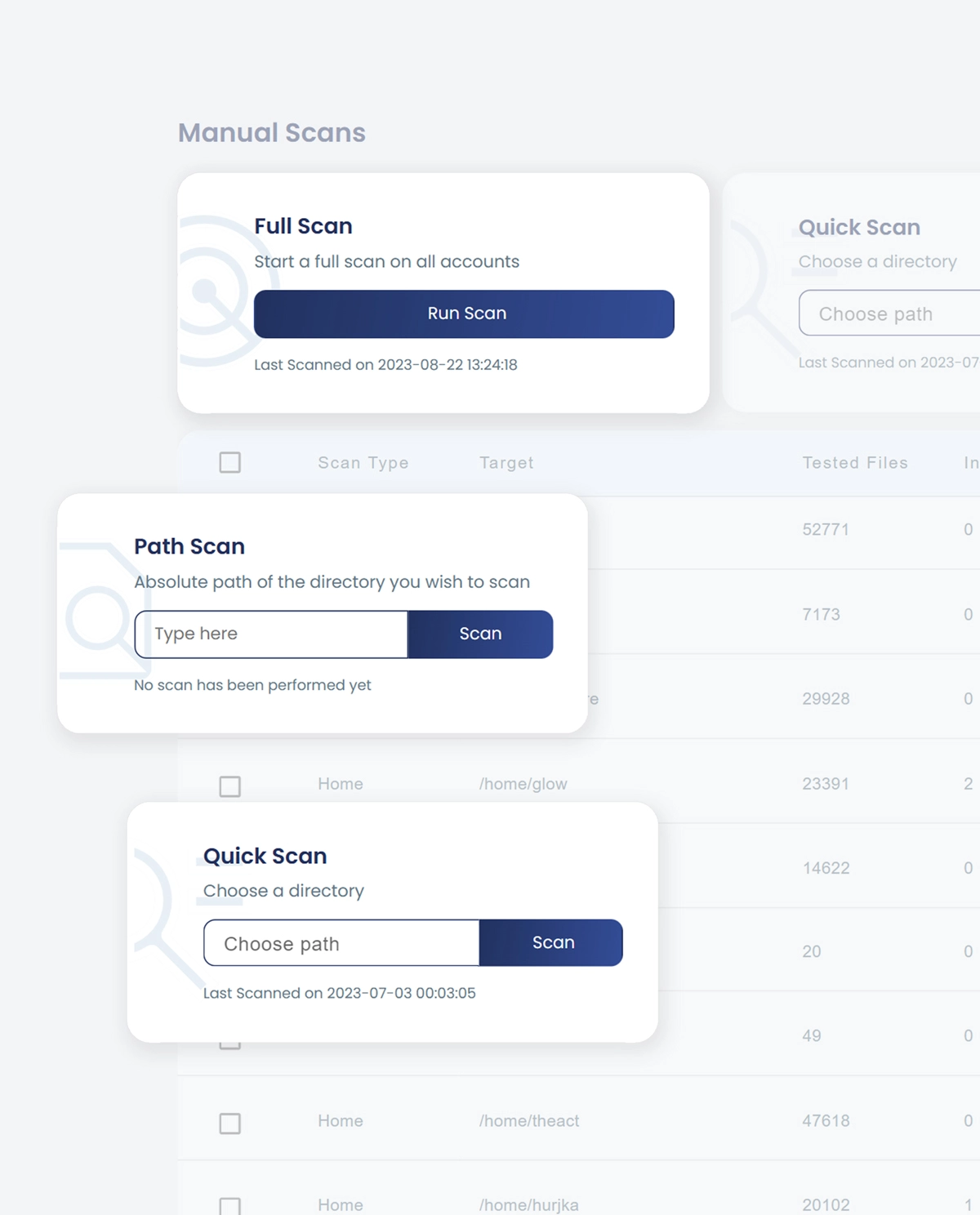
Custom scans and rechecks
Review files modified in the last 24 hours or week; run manual scans so nothing is left unchecked.
Highly configurable
Advanced UI and CLI: directories to watch, user and file whitelists, custom databases, and more.
Advanced detection modules
Beyond file scanning, cPGuard includes modules that detect, prevent, and mitigate threats across the environment.
AI Scanner
Machine-learning models that detect suspicious patterns signature scanners often miss.
Database Scanner
Scans WordPress databases for hidden injections used in phishing, malware, and persistent reinfections.
CMS Threats (CVE)
CVE intelligence to detect vulnerable plugins, themes, and cores; alerts or automatic updates to help prevent exploits.
Advanced firewall
Built on nftables, optimized for speed and scalability. Includes temporary bans, port filters, country rules, DoS and SYN flood protection in a single unified system with minimal overhead.
Single-source DoS protection
Immediate blocking of malicious traffic to keep the server stable during attacks from a single IP.
AI whitelist and fewer false positives
Recognizes trusted sources so legitimate traffic is not blocked.
Blocking of abusive bots and crawlers
Counters bot and crawler traffic waves using IPDB, keeping the server responsive.
SYN Flood protection
Blocks malicious TCP SYN floods while allowing legitimate traffic through.
Port and protocol filtering
Granular TCP/UDP rules by port, direction, and protocol to reduce the attack surface.
GeoIP blocking
Allow or deny traffic by country or region to reduce unauthorized access.
IPDB: abusive IP list
Real-time list of IP addresses associated with malicious activity: web attacks, brute force, spam, DDoS, port scanning, malware distribution, and more.
Collective intelligence in real time
The list is fed by attack data from many servers, partners, and third parties. Algorithms generate and refine the list in real time, scoring IPs and reducing false positives so legitimate users are not affected.
Lower server load
Immediate recognition of bots, attackers, and problematic sources; blocking with ipset/iptables happens at the system level, before traffic reaches the web server, reducing load and risk.
Web Application Firewall
ModSecurity rules based on real research, penetration tests, and production environments. Rules designed for PHP applications that provide advanced filtering and intrusion protection.
- Optimized ModSecurity rules. SQL injection, XSS, local/remote file inclusion, file-upload vulnerabilities, zero-day attacks, web shells.
- CMS vulnerability patches. Protection for WordPress, Joomla, and OpenCart against plugin and theme vulnerabilities, XML-RPC attacks, and other threats.
- Generic Apache and PHP rules. Filtering and intrusion protection for PHP applications in shared hosting environments.
- Real-time protection. Rules act as a shield, blocking threats before they reach the site. Commercial Malware.Expert rules.
Brute force and bad-bot protection
An integrated environment where threat detection, protection, and reporting happen simultaneously and in coordination.
Captcha on login pages
Protects WordPress, Joomla, OpenCart, and custom URL logins from brute force and dictionary attacks. DNS captcha from an external cluster reduces load on your server.
CMS brute-force protection
Stops distributed attacks before they take your site down.
Bad-bot and user-agent blocking
Protects against malicious automated activity; saves resources and bandwidth.
Reputation, security, and optimization
Tools to monitor server reputation, protect against hidden threats, and optimize security and firewall configuration.
Domain Reputation
Checks every domain against Google Safe Browsing. Early warnings of compromised domains so you can act and protect SEO and server reputation.
DNSBL / RBL
RBL monitoring: checks server IPs against DNS blacklists in real time. Helps keep legitimate email from being marked as spam or rejected.
Suspicious processes and Lynis
Detects and terminates hidden processes, miners, bots, and spam scripts. Lynis runs system security audits and recommends hardening and compliance steps.
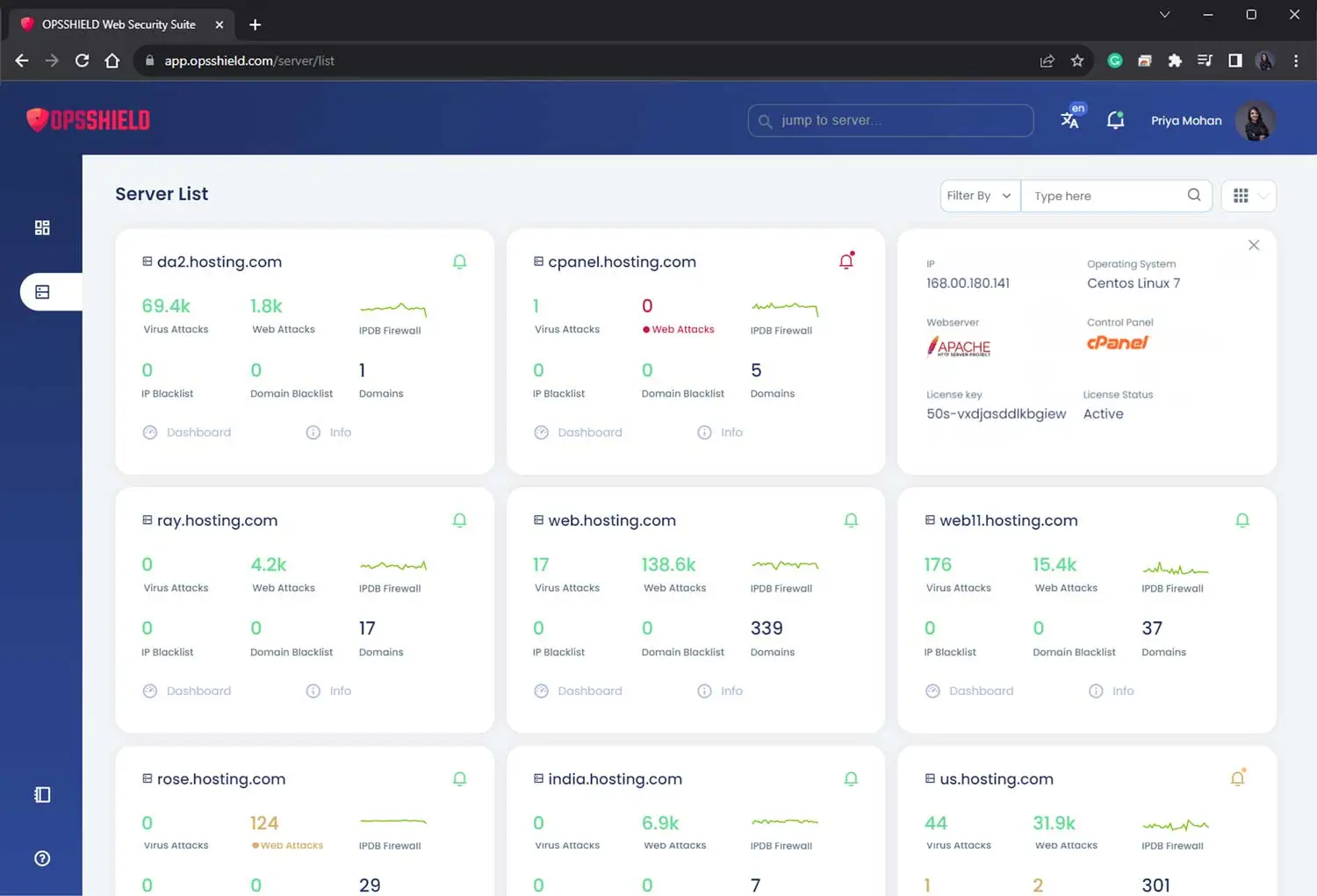
Central dashboard
Manage all your servers from a single interface: switch between servers, review details, reports, and events, adjust settings, and run bulk actions. Add and share servers with other users easily.
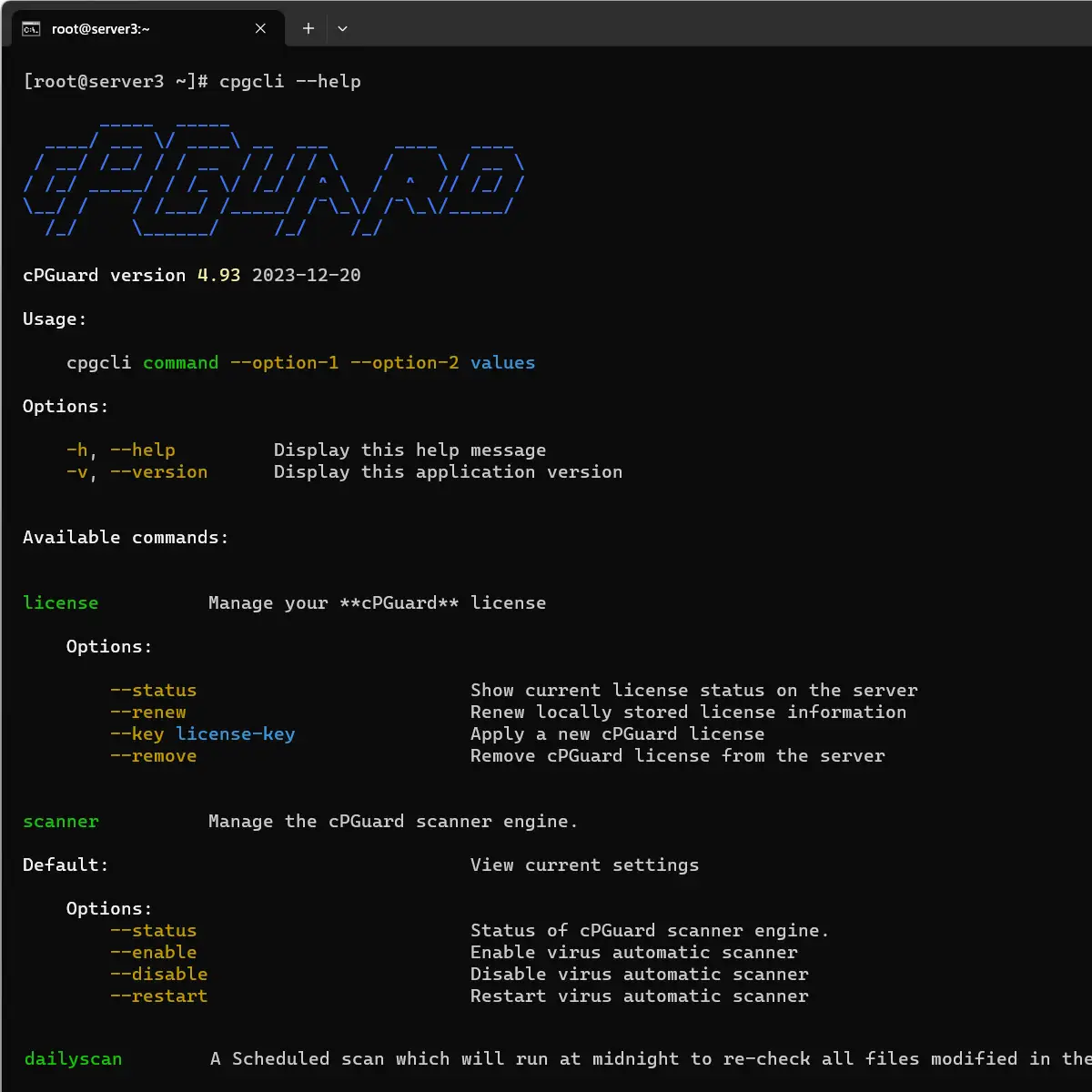
Powerful CLI
The command-line interface gives you advanced control: configure and use cPGuard without a graphical interface. Try cpgcli --help on your server with cPGuard installed.
More capabilities
Overview of other features included with cPGuard.
Automatic account suspension
Immediate suspension when threat criteria are met; minimizes damage and spread.
Country blocking
Allow or deny requests by country or region.
SRBL and spam filtering
Keeps spam from reaching the mail server and consuming resources.
Spam monitoring
Analyzes mail queues and reports potentially abusive scripts.
Process monitoring
Detects and mitigates malware and mining scripts in real time.
WordPress wp-cron
Optimizes wp-cron execution for better resource use.
CMS core file replacement
Replaces infected core files and plugins with clean versions from a CDN.
PHP upload blocking
Prevents PHP script uploads through forms in insecure code.
WordPress integrity
Periodic verification of critical files with no manual intervention.
Daily security report
Daily summary so you can prioritize and stay in control of the environment.
Daily/weekly scan
Automatic recheck of files modified in 24 hours or during the week.
Installation in minutes
Deploy with automated scripts on the main panels and distributions. Support for CentOS, RHEL, CloudLinux, Ubuntu, Rocky, Alma, Debian, and Amazon Linux, with or without a panel.
 cPanel/WHM
 DirectAdmin
 Plesk
Plesk CyberPanel
 InterWorx
 Enhance
 RunCloud
 Standalone Linux
Frequently asked questions
We answer common questions about cPGuard / OpsShield.
Can I use the same license on several servers?
No, each server must have its own license.
Does the server need a public IP?
No, but it must have an internet connection.
Which hosting control panels is it compatible with?
DirectAdmin, cPanel, Plesk, Webuzo, Webmin, CWP, CyberPanel, Enhance, Interworx, and Runcloud.
Can it run without a control panel?
Yes, deployments without a control panel are also supported.
What counts as a “user”?
On hosting platforms such as DirectAdmin or cPanel, a user is a hosting account; there is no limit on the number of domains or websites. For installations without a control panel, a user is a Unix user or system user (UID > 1000).
Does it offer WordPress protection?
Yes, it even validates the hash of WordPress core files and, if one is modified, restores it to the original version.
Which ModSecurity rules does it use?
It uses Malware.Expert rules as well as cPGuard’s own rules.
Does it protect both IPv4 and IPv6?
Yes, protection is dual stack.
If I have several servers, are they all managed from the same control panel?
Yes, it offers centralized management.
Can you help with the initial installation and configuration?
Yes, just open a support ticket requesting assistance.
Does it include antispam?
Yes, it includes inbound and outbound antispam.
Can it search for malware in databases?
Yes, it scans files and databases.
What is the impact on server resources (CPU/RAM)?
cPGuard has a very low resource footprint compared with similar solutions.
Versus its main competitor (Imunify360), cPGuard uses up to 80% fewer resources.
How long does service activation take?
If payment is via Getnet, Transbank, or PayPal, it is validated automatically and the service is activated within about 10 minutes.
If payment is via bank transfer, it must be validated manually during business hours; once validated, the service is activated.
What payment methods do you accept?
Chile residents: bank transfer with Banco Santander and Banco Itaú (within 24 business hours) and debit or credit cards via Getnet, Transbank Webpay, and PayPal (immediate). International payments: PayPal and Getnet (immediate); the amount in Chilean pesos is converted automatically to US dollars at the exchange rate in effect at the time of payment. We also accept cryptocurrency payments through Cryptomus, both for residents in Chile and customers abroad.
Do you issue receipts or invoices?
We issue a receipt or invoice, according to what you selected at registration, for all services.